

Sway
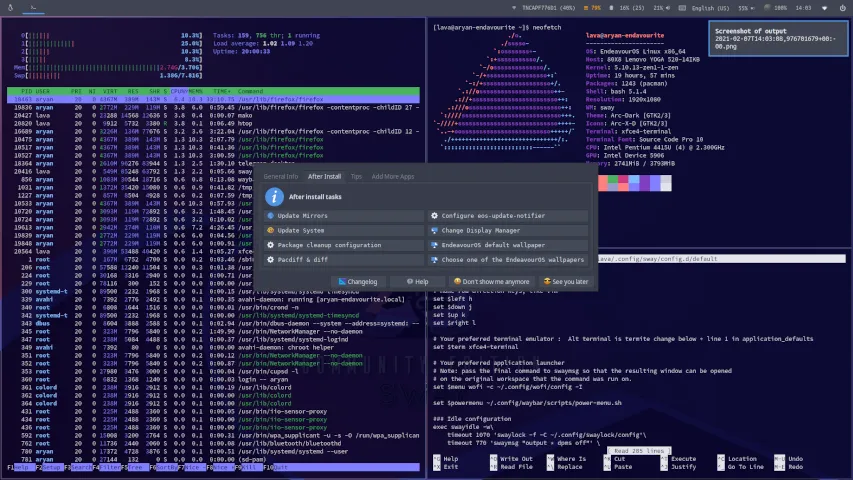
Sway is a tiling Wayland compositor and a drop-in replacement for the i3 window manager for X11. It works with your existing i3 configuration and supports most of i3’s features, plus a few extras.
About community edition
Section titled “About community edition”- Wallpaper: swaybg
- Theme: lxappearance
- File manager: thunar
- Terminal: xfce4-terminal or termite
- Bar: waybar
Configuration
Section titled “Configuration”- Keybindings:
~/.config/sway/cheatsheet - Main config file:
~/.config/sway/config.d/default - Auto-start:
~/.config/sway/config.d/autostart_applications - Bar:
~/.config/waybar/config
Keybindings
Section titled “Keybindings”[mod] key is set to the winkey (or should i call it linkey?)
[mod]+Return = open floating terminal (XFCE4-Terminal) [mod]+(Shift)+Return = open fixed terminal (Termite) [mod]+o = open Browser (firefox) [mod]+n = open File Manager (thunar) [mod]+d = app menu (wofi) [mod]+q = close focused app [kill] (Shift)+(Print-Key) = screenshot/bring up screenshot menu [mod]+(Shift)+e = power-menu [mod]+r = resize mode [mod]+(Shift)+(Space) = float window {HOLD DOWN} [mod] = drag floating window [mod]+(Arrow Keys) = switch focus respectively [mod]+(Shift)+(Minus) = send to scratchpad [mod]+(Minus) = cycle through scratchpadDisplay/login manager
Section titled “Display/login manager”Some login managers support Wayland, and others don’t. The following are confirmed to work with Sway;
Ly: a lightweight TUI (ncurses-like) display manager for Linux and BSD.
yay -S lygreetd: a minimal and flexible login manager daemon that makes no assumptions about what you want to launch.
yay -S greetdDocumentation:
https://github.com/swaywm/sway/wiki